Updated May 2026 | Originally published 2018
You need HTML5 banners for a campaign. You don’t have the time, the team, or the technical skills to build them in-house. So you’re going to outsource the production.
Good call. But the landscape for outsourcing banner production has changed a lot since we first wrote this guide. AI tools, offshore production shops, freelancer platforms, and specialized agencies are all competing for your business — and picking the wrong one can cost you missed deadlines, broken ads, and wasted budget.
This guide covers how to outsource HTML5 banner production in 2026. We’ve been on both sides of this — we’re a production studio that receives layered PSD and Illustrator files from agencies and brands every day, and we’ve seen what goes right and what goes wrong.
Your Three Options (and What’s Changed)
Option 1: Hire a Freelancer
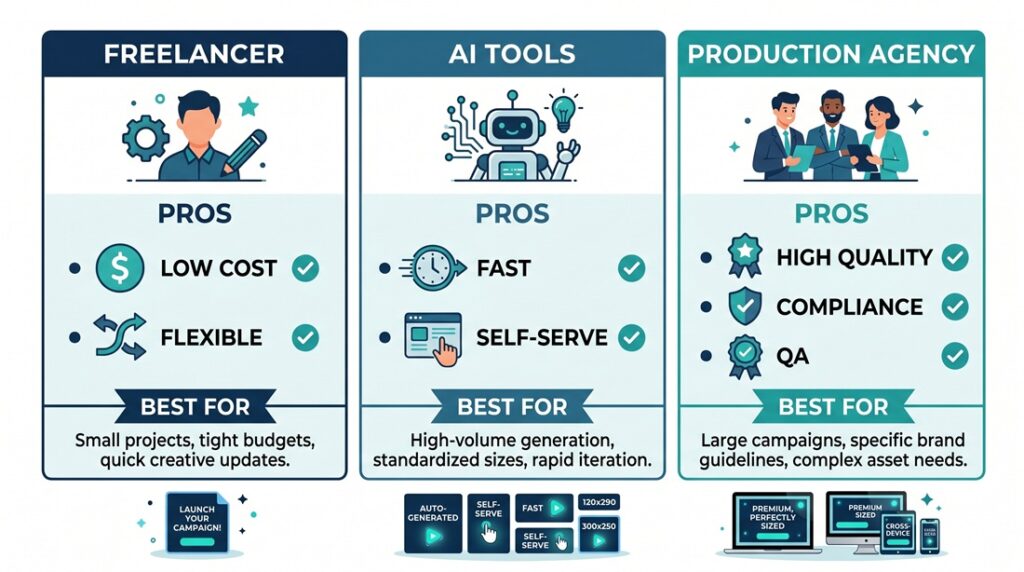
Freelancers are the cheapest option upfront. Platforms like Upwork and Fiverr have hundreds of HTML5 banner developers charging anywhere from $20 to $150 per banner size.
When this works: You have a small, simple project — maybe 3-5 sizes, basic animation, standard click tags for Google Ads. The creative is already designed, and you just need someone to code it.
When this breaks: Your project has more than 5 sizes. You need banners built for a specific ad server like Campaign Manager 360, Sizmek, or Flashtalking. You need rich media features like expandables, video, or interactive elements. You have a tight deadline and can’t afford to wait for one person’s availability. Or you need ongoing production across multiple campaigns or you may work with high end client you can not afford to have low quality work.
The real risk with freelancers in 2026: The good ones are booked. The cheap ones cut corners on file size, skip cross-browser QA, and deliver banners that break when you traffic them. There’s no project manager keeping things on track, and if the freelancer disappears mid-project, you’re stuck.
Option 2: Use an AI Banner Tool
This is the new option that didn’t exist when we first wrote this guide. Tools like Abyssale, The Brief (formerly Creatopy), and Google Web Designer let designers build and animate banners without writing code.
When this works: You need simple animated banners for Google Ads. Your designer is comfortable learning a new tool. You have straightforward creative with basic animations — fade, slide, scale. You need a high volume of similar banners with minor variations.
When this breaks: You need production-quality animation with precise timing and easing. You need ad server-specific click tag implementations beyond basic Google Ads. You need rich media features. You need to meet strict file size requirements that demand hand-optimized code. You need banners for regulated industries like pharma with ISI scrolling sections.
The honest truth about AI tools: They handle maybe 60-70% of the basic banner production that agencies used to outsource. But the output needs polish, the click tag implementation is limited, and complex projects still require a human developer. If your campaigns are simple Google Ads banners, an AI tool might be all you need. If you’re running programmatic campaigns across multiple ad servers, you still need a production partner.
Option 3: Work with a Production Agency
HTML5 banner production
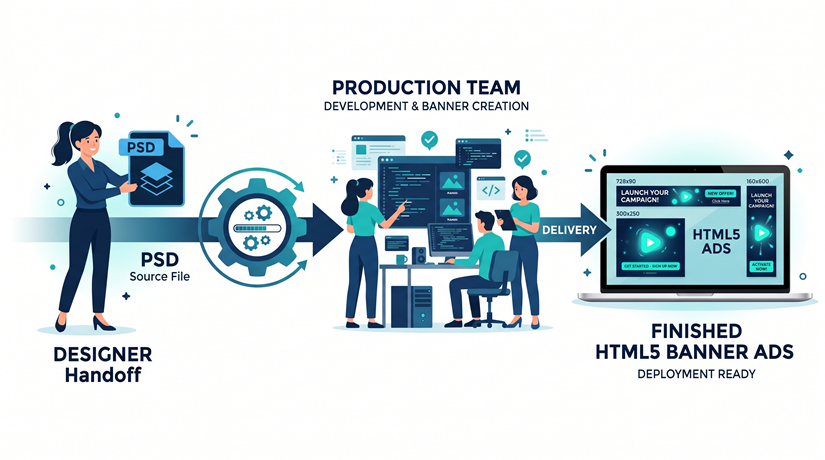
A specialized HTML5 production agency takes your design files — PSDs, Illustrator files, Figma exports, storyboards — and hand-codes everything into trafficking-ready HTML5 packages.
When this works: You have ongoing production needs across multiple campaigns. You need banners built for specific ad servers with correct SDK integration. You need rich media, dynamic creative (DCO), or interactive elements. You’re in a regulated industry with compliance requirements. You need consistent quality, QA, and a dedicated project manager.
When this breaks: You have a tiny budget for a one-off project. Your banners are so simple that an AI tool could handle them. You need something done in 2 hours (though some agencies offer rush delivery).
What’s changed about agencies in 2026: The best production agencies now use AI tools internally to speed up their own workflow — but they add the human expertise for animation quality, ad server compliance, cross-browser QA, and file size optimization that tools alone can’t deliver. You’re not paying for raw coding hours anymore. You’re paying for the expertise that makes banners work correctly when they’re trafficked.
How the Production Process Works
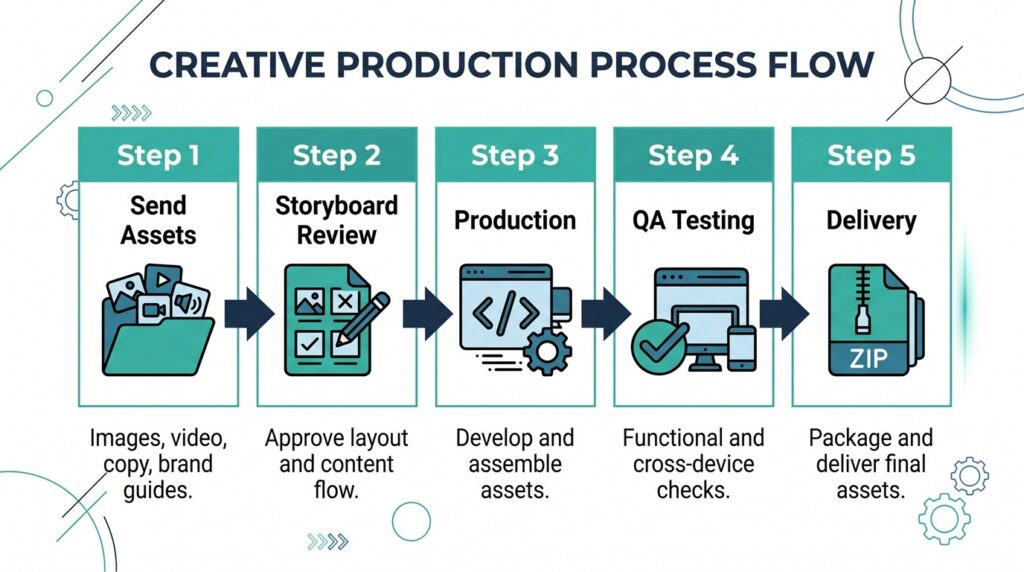
Whether you work with a freelancer or an agency, here’s what a solid outsourcing process looks like:
Step 1: Send Your Assets
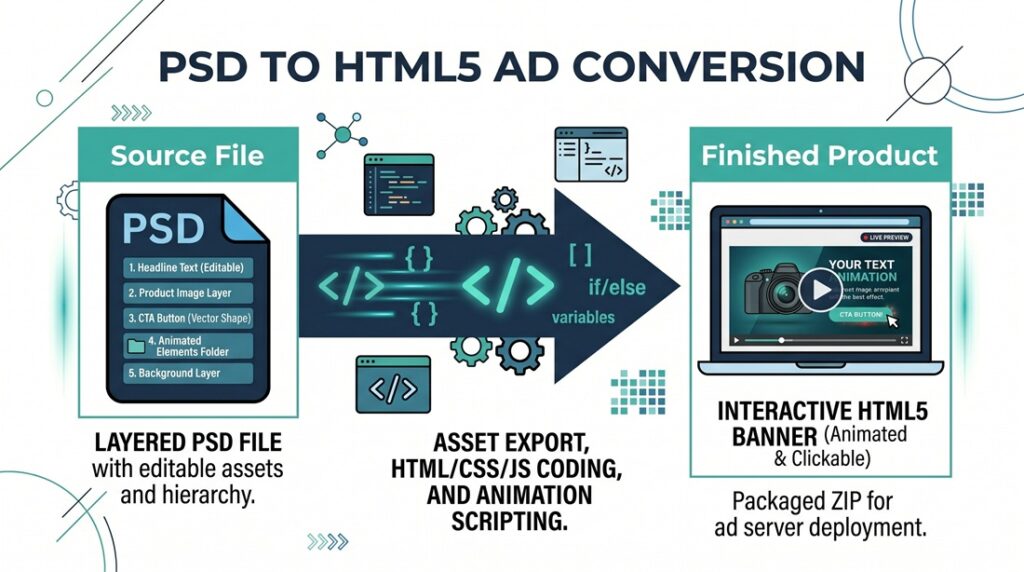
You provide your design files — layered PSDs or Illustrator files work best because the developer can extract individual elements (headline, product image, background, CTA button, logo) and animate them independently.
Along with the design files, include:
The sizes you need — check our IAB standard banner sizes guide if you’re not sure which ones to build. A storyboard or animation notes describing how you want elements to move. Your ad server and click tag requirements. Any branding guidelines (fonts, colors, animation speed preferences). The campaign deadline.
Step 2: Review the Storyboard
A good production partner will review your assets, flag any potential issues (images too heavy, fonts that will bloat file size, animations that won’t work within the file size limit), and send you a storyboard or animation mockup for approval before they start coding.
This step saves everyone time. It’s much easier to adjust the animation direction at the storyboard stage than after the banners are coded.
Step 3: Production
The developer hand-codes the HTML5 banners using HTML, CSS, JavaScript, and animation libraries like GSAP (GreenSock). Each size gets its own layout treatment — a 728×90 leaderboard is not just a resized version of your 300×250.
A good developer will optimize the code for file size from the start — using CSS for gradients and solid colors instead of images, compressing visuals, subsetting fonts, and minifying JavaScript.
Step 4: QA
Before delivery, banners should be tested across browsers (Chrome, Safari, Firefox, Edge) and devices (desktop, tablet, mobile). Click tags need to be verified. File sizes need to be confirmed under the limit. Backup images need to be included.
At Digitaland, we run a four-point QA process and use our free banner compare tool to make sure animations are consistent across all sizes.
Step 5: Delivery
You receive a ZIP package for each banner size, ready to upload to your ad server. The package includes the HTML file, all assets, and a static backup image. Good agencies deliver trafficking-ready packages — not raw files that need extra work on your end.
What to Look for in a Production Partner
Not all outsourcing options are equal. Here’s what separates a reliable production partner from a risky one:
They accept your design files as-is. You shouldn’t have to redesign your creative to fit their workflow. A good partner works with PSDs, Illustrator files, Figma exports, or even screenshots with direction.
They understand your ad server. Every ad server has different requirements for click tags, SDK integration, polite loading, and file structure. Ask your partner if they’ve built banners for your specific platform — Campaign Manager 360, Sizmek, Flashtalking, Adform, or whatever you use. If they hesitate, that’s a red flag.
They have a QA process. Ask them how they test. Cross-browser? Cross-device? Do they verify file sizes? Do they check click tags? “We test it in Chrome” is not a QA process.
They can show you relevant work. Ask for examples of banners similar to what you need. If you need animated display ads, don’t settle for seeing static banner examples.
They have a project manager. If your only point of contact is the developer, communication will suffer. A PM keeps the project on deadline, manages feedback loops, and handles the details so you don’t have to chase anyone.
They hit file size limits consistently. This sounds basic, but it’s where a lot of outsourcing goes wrong. Ask them what happens when a banner comes in over the file size limit. A good partner builds lean from the start. A bad one delivers bloated files and shrugs.
How Much Does It Cost?
Pricing varies a lot depending on who you work with:
Freelancers: $40-$150 per size for basic animated banners. Rich media and complex animation can be $250-$500+ per size.
Offshore agencies (Asia/Eastern Europe): Often 30-50% cheaper than US-based agencies. Quality varies widely — some are excellent, some deliver broken code.
US-based production agencies: Typically $200-$300 per size for standard animated HTML5 master ad ( the first size) has a higher price. Rich media and DCO banners are priced per project based on complexity.
AI tools: $30-$200/month subscription. Cheapest option but limited in what they can produce.
The real cost isn’t the production fee — it’s what happens when you choose the cheapest option and the banners don’t work. A campaign that launches a week late because your banners failed ad server validation costs more than paying a few extra dollars per size for a reliable partner.
Red Flags When Outsourcing
Watch out for these warning signs:
They can’t tell you which ad servers they’ve worked with. They don’t mention file size optimization at all. They don’t have a QA process. They’ve never heard of GSAP/GreenSock. They promise unrealistic turnaround times without understanding your project scope. They only show you template-based examples, not custom work. They don’t ask about your ad server or click tag requirements upfront.
The Bottom Line
Outsourcing HTML5 banner production works — when you choose the right partner for the right project. Use AI tools for simple, high-volume Google Ads banners. Use freelancers for small, one-off projects with basic requirements. Use a production agency for anything that needs ad server compliance, rich media features, consistent quality, or ongoing production.
The deciding question is simple: what happens if the banner doesn’t work when it’s trafficked? If the answer matters to you, invest in a partner who gets it right the first time.
Digitaland is a digital production studio that hand-codes HTML5 banner ads for agencies and brands. We accept PSD, Illustrator, and Figma files and deliver trafficking-ready packages for any ad server. Get in touch to talk about your next project.