HTML5 Banner Developer: 10 Questions to Ask Before Hiring (2026 Guide)
Stories and tips make you a better online advertising expert
Updated May 2026 | Originally published 2015
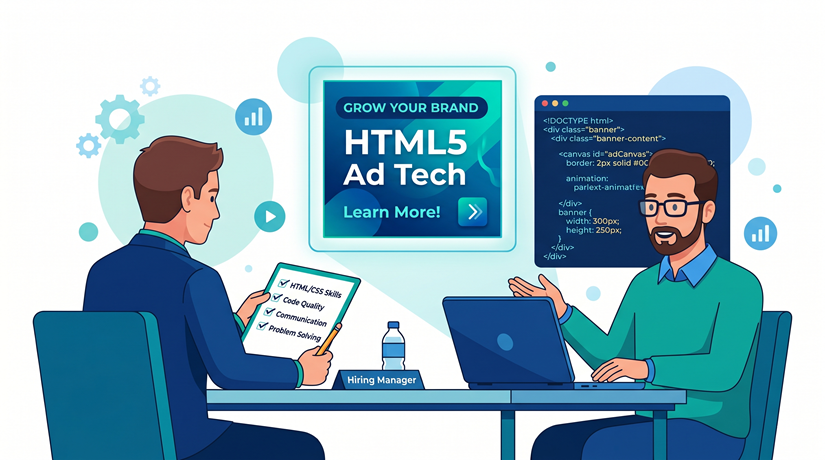
Hiring the wrong HTML5 banner developer can cost you more than money. Missed deadlines, banners that fail ad server validation, ads that look broken on mobile, bloated file sizes that get rejected — all of these problems trace back to hiring someone without the right skills.
Whether you’re looking at freelancers, agencies, or bringing someone in-house, these are the questions that separate a skilled banner developer from someone who’ll waste your time. We’ve been hand-coding HTML5 banners for over 15 years, so we know exactly what to look for.
Before You Ask: What’s Changed Since 2015
When we first published this guide, the industry was transitioning from Flash to HTML5. Flash is long dead. In 2026, the questions are different:
Can they hand-code or do they rely entirely on tools? Do they understand modern ad server SDKs? Can they build dynamic creative (DCO)? Do they know how to optimize for modern file size limits? Can they deliver trafficking-ready packages that work on your specific ad server?
Here are the 10 questions to ask.
1. Do You Hand-Code Banners or Use a Template Tool?
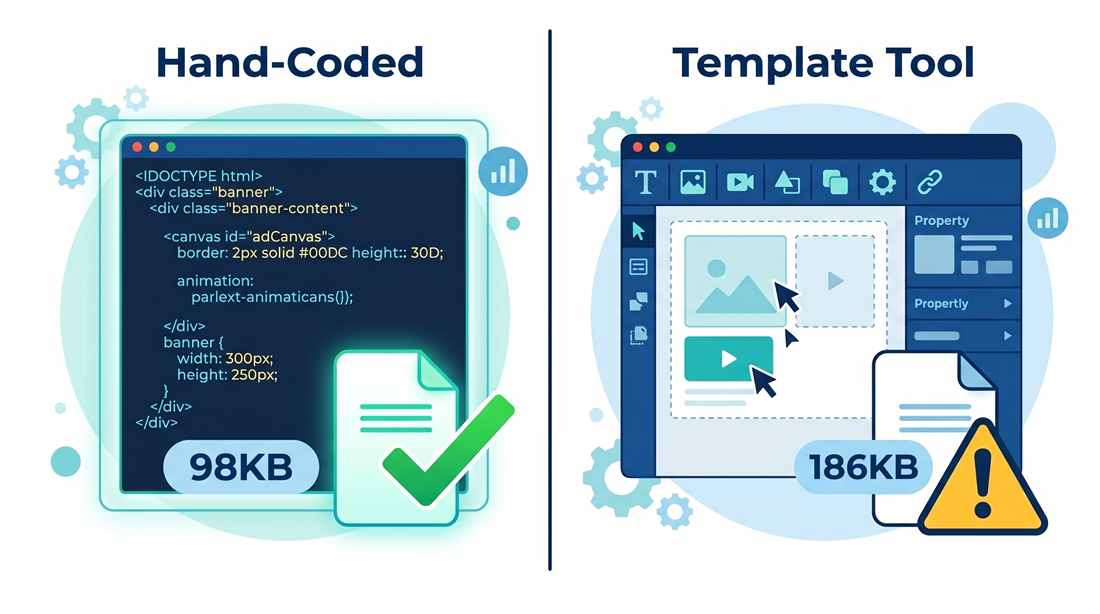
This is the most important question in 2026. There’s a big difference between a developer who writes HTML, CSS, and JavaScript from scratch and someone who drags and drops elements in Google Web Designer or a template platform.
Why it matters: Hand-coded banners are lighter, more flexible, and easier to customize. Template-based banners are faster to produce but limited in what they can do. For simple Google Ads campaigns, a template tool might be fine. For rich media, DCO, or anything that needs ad server SDK integration, you need a hand-coder.
What you want to hear: “I code from scratch using HTML5, CSS, and JavaScript. I use GSAP for animation. I can also use template tools when the project calls for it, but my default is custom code.”
2. Which Animation Library Do You Use?
Animation is what makes a banner ad effective. The library a developer uses tells you a lot about their skill level.
Why it matters: GSAP (GreenSock Animation Platform) is the industry standard. It’s lightweight, powerful, and works within strict file size limits. A developer who uses GSAP knows what they’re doing. A developer who uses jQuery for banner animation is behind the curve. A developer who animates with CSS only is either very skilled or doesn’t know what they’re missing.
What you want to hear: “I use GSAP for most banner animation. I use CSS transitions for simple animations where it makes sense to save file size.”
3. Which Ad Servers Have You Built For?
This is where many developers fall short. Building a banner that looks good is one thing. Building one that works correctly on a specific ad server is another.
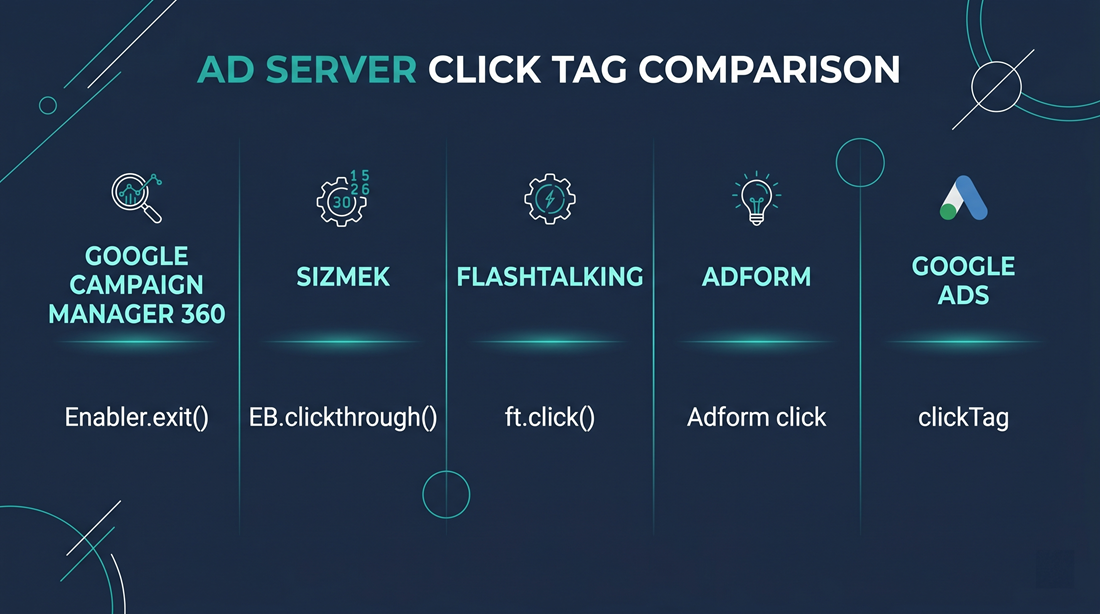
Why it matters: Campaign Manager 360 (formerly DoubleClick) uses the Enabler SDK — your developer needs to integrate Enabler.exit() for clicks, Enabler.initialized for polite loading, and follow Studio’s validation requirements. Sizmek uses the EB SDK. Flashtalking, Adform, and other platforms each have their own integration. If your developer has only built banners for standard Google Ads with a simple clickTag variable, they may not know how to handle more complex ad server requirements.
What you want to hear: “I’ve built banners for CM360, Sizmek, Flashtalking, and Adform. I know the SDK differences and can deliver packages ready for trafficking on any of them.”
Red flag: “What’s a click tag?” or “I’ll figure it out.” Walk away.
4. How Do You Keep File Sizes Under 150KB?
The 150KB initial load limit is a hard constraint on most ad networks. A developer who consistently exceeds it is a developer who doesn’t know the fundamentals of banner production.
Why it matters: Every asset in the banner — images, fonts, JavaScript, CSS — contributes to file size. A skilled developer plans for file size from the start, not after the banner is built. They use CSS for gradients and solid colors instead of images. They compress PNGs and JPGs aggressively. They subset fonts to include only the characters needed. They minify code. They use SVGs where possible.
What you want to hear: “I start every build with file size in mind. I use CSS for flat elements, compress images, subset fonts, and minify everything. I rarely need polite loading for standard banners because I build lean.”
Red flag: “I just compress the images at the end.” That’s not a strategy.
5. How Do You Handle Multi-Size Adaptation?
A typical campaign requires 5-10 IAB standard banner sizes. Building each size isn’t just resizing — it’s rethinking the layout for each dimension.
Why it matters: A 300×250 medium rectangle has a totally different layout than a 728×90 leaderboard or a 320×50 mobile banner. Elements need to be repositioned, sometimes removed, and the animation timing might need to change. A developer who just scales down the 300×250 for every other size will deliver banners that look wrong.
What you want to hear: “I build a master animation first, then adapt the layout for each size. I treat each size as its own design challenge — repositioning elements, adjusting text sizes, and sometimes simplifying the animation for smaller formats.”
6. What’s Your QA Process?
Quality assurance is where corners get cut. A developer who delivers without testing is a developer whose banners will break in production.
Why it matters: Banners need to work in Chrome, Safari, Firefox, and Edge. They need to look right on desktop, tablet, and mobile. Click tags need to fire correctly. File sizes need to be verified. Backup images need to be included and correctly sized. Animation timing needs to be consistent across sizes.
What you want to hear: “I test every banner in at least four browsers, check file sizes, verify click tags, and compare animation timing across all sizes before delivery. I have a systematic checklist.”
Red flag: “I check it in Chrome and it looks fine.” Chrome is one browser.
7. Can You Build Dynamic Creative (DCO)?
Dynamic Creative Optimization is the fastest-growing segment of display production. If your developer can’t build DCO templates, you’ll need to find someone else as your campaigns become more sophisticated.
Why it matters:DCO banners pull content from data feeds — product images, prices, headlines, CTAs — and assemble them in real time based on audience targeting. Building a DCO template requires understanding data feed integration, variable mapping, text overflow handling, image aspect ratio management, and platform-specific requirements. It’s a level above standard animated banners.
What you want to hear: “I’ve built DCO templates for [CM360/Sizmek/Flashtalking]. I understand feed-based creative, variable mapping, and how to build templates that handle varying content lengths without breaking.”
If they haven’t done DCO yet: That’s fine for now, but make sure they’re willing to learn. DCO is becoming table stakes for serious production work.
8. Do You Have Experience in Regulated Industries?
If you work in pharma, financial services, alcohol, or other regulated industries, your banner developer needs to understand the compliance requirements.
Why it matters: Pharma banners require ISI (Important Safety Information) sections, often with scrolling functionality. Financial services banners have disclosure requirements. These add technical complexity and require working within strict regulatory review processes — where MLR teams review every frame of animation and every word of copy.
What you want to hear: “I’ve built pharma/financial banners before. I know how to build scrolling ISI sections, handle multiple review rounds, and deliver frame-by-frame screenshots for regulatory approval.”
9. What Do You Deliver?
The deliverable matters as much as the creative. A beautiful banner delivered as a loose collection of files with no organization is useless to your media team.
Why it matters: Your media team or ad ops person needs trafficking-ready packages. That means a clean ZIP for each size containing the HTML file, all assets, JavaScript, and a static backup image. Files should be named clearly. Backup images should match the banner dimensions exactly.
What you want to hear: “I deliver organized ZIP packages for each size, ready to upload directly to your ad server. Each package includes the HTML, assets, and a static backup image under 40KB.”
Red flag: “I’ll send you the files and you can put it together.” That’s not a deliverable.
10. Can You Show Me Relevant Examples?
This sounds obvious, but you’d be surprised how many people skip it. Ask for examples that match your specific needs.
Why it matters: If you need animated display ads, seeing static banner examples tells you nothing. If you need pharma banners with ISI, seeing a retail banner tells you nothing. Ask for examples that match your industry, complexity level, and ad server.
What you want to hear: “Here are three recent projects similar to what you’re describing. I can walk you through the technical approach for each one.” Bonus points if they can show you the live version, not just screenshots.
The Decision Framework
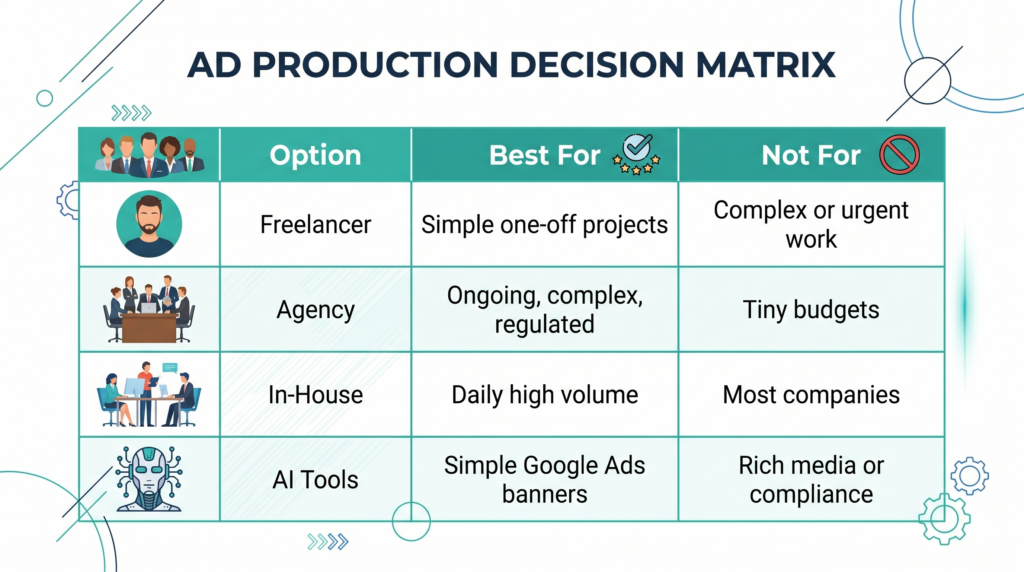
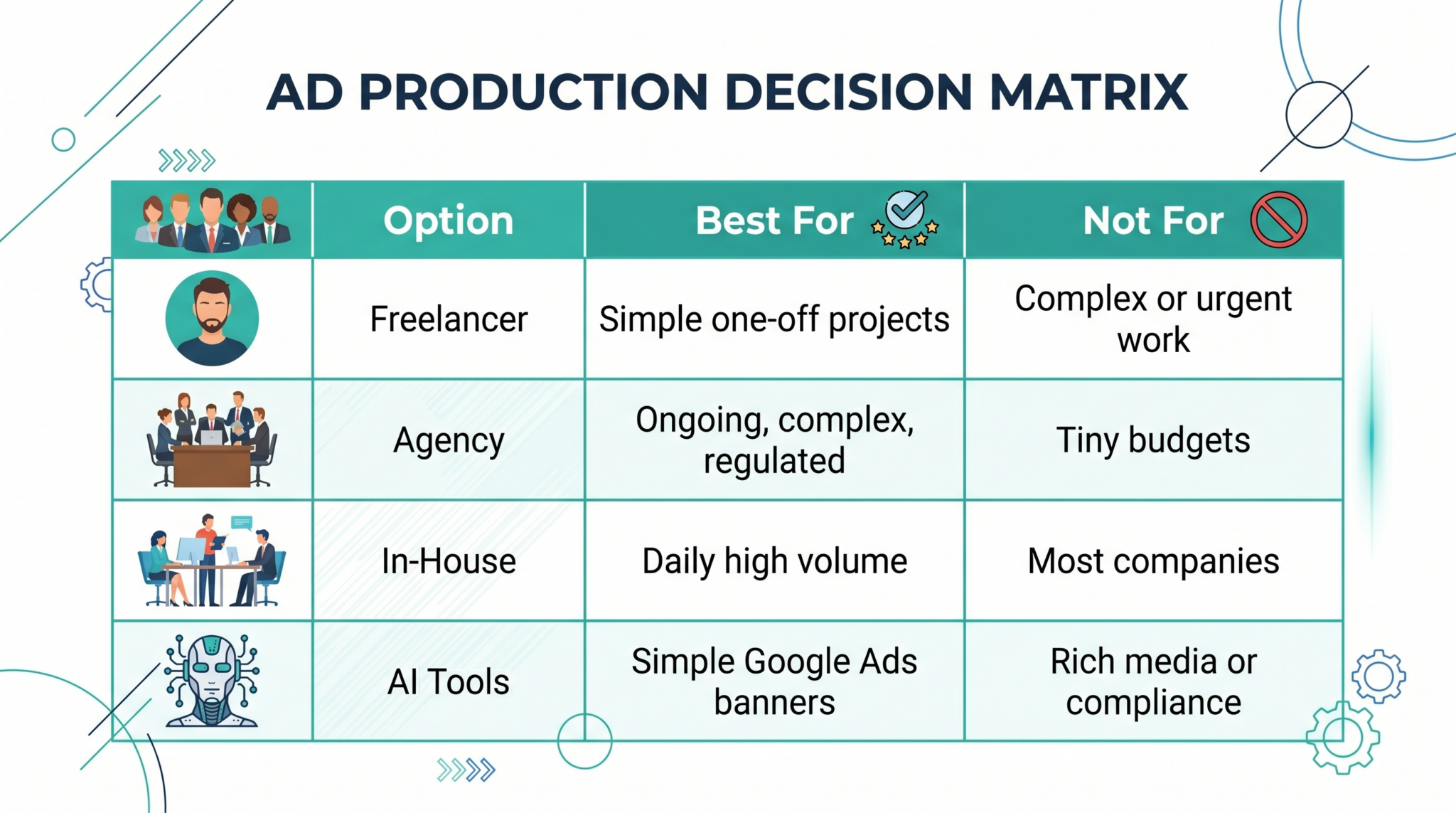
Here’s a simple way to think about who to hire:
Hire a freelancer if you have simple, occasional projects with basic requirements and flexible deadlines.
Hire an agency if you have ongoing production needs, complex requirements (rich media, DCO, multi-ad-server), regulated industries, or tight deadlines.
Bring someone in-house if you have constant, daily production volume that justifies a full-time salary — which for most companies, you don’t.
Use AI tools if your banners are simple enough that a designer can build them without writing code — but understand that you’re trading customization and quality for speed and cost.
The right choice depends on your volume, complexity, budget, and how critical display advertising is to your business.
The Bottom Line
A good HTML5 banner developer makes your campaigns look better, perform better, and launch on time. A bad one creates delays, broken ads, and wasted budget. These 10 questions help you tell the difference before you’ve committed your money and your deadline.
Digitaland hand-codes HTML5 banners for agencies and brands across every major ad server. We’ve delivered campaigns for Nike, Samsung, LG, and Wendy’s. Get in touch to see if we’re the right fit for your next project.
Stories and tips make you a better online advertising expert
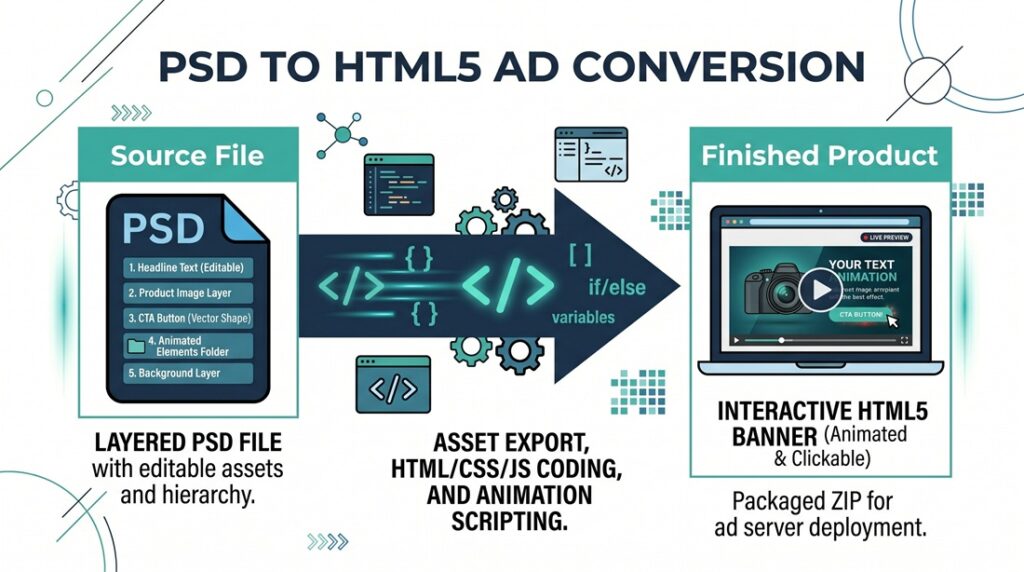
Your designer just finished a set of beautiful Photoshop files for your next display campaign. Now someone needs to turn those layered PSDs into animated …
Updated May 2026 | Originally published 2015 Hiring the wrong HTML5 banner developer can cost you more than money. Missed deadlines, banners that fail ad …


2 Replies to this post
Great Piece, enlightening and make you think about HTML5 in different
way.
Nice info. I do myself all type of display banner ads in my studio adsspirit.com and often need a good Inspiration