Short answer: The safe email banner size is 600 pixels wide. That’s the width email templates have used since Outlook set the rule. Export the image at 2x (1200 pixels) and set width="600" in the code so it stays sharp. Newsletter ad slots follow the network’s spec instead: LiveIntent asks for 300×250, 970×250, 970×550 and square or portrait sizes, as JPG, PNG or GIF, up to 250 KB static or 4 MB for GIF.
“Email banner” means two different things. One is the header or hero image in your own newsletter. The other is a paid ad unit inside someone else’s newsletter. This guide is for brand marketers and agency producers who handle both. It gives the pixel sizes, the file weights and formats, and the scaling problems that make a good banner look wrong in the inbox.
- Design header banners at 600 pixels wide and export them at 1200.
- Many templates drop to 320 pixels on mobile, so your banner shows at about half size.
- Newsletter ad slots use display sizes like 300×250 and 970×250, not 600.
- Email runs no JavaScript. Banners are JPG, PNG or GIF only.
- LiveIntent caps static ads at 250 KB and GIFs at 4 MB.
- Outlook on PC stretches a 300×250 to the template width, so always supply a second size.
- Email banner dimensions at a glance
- Email header banner size: why 600 pixels still wins
- Email banner size in pixels: design for 600, export at 2x
- Newsletter banner sizes for advertisers
- The Outlook 300×250 problem
- File weight and format: JPG, PNG or GIF
- How to build one banner set that fits every email slot
- Email banner checklist before you send
 Stop screenshotting banners by hand.
One ZIP in. Every deliverable out.
Try the free banner tool. No sign-up.
JPGGIFMP4
Try it free
Email banner dimensions at a glance
Here is every common email banner size in one place. Header rows come from email-design guidance. Ad rows come from each network’s or publisher’s own spec, opened for this article.
| Banner | Size in pixels | Format | Max weight |
|---|---|---|---|
| Header or hero (your own email) | 600 wide on screen, exported at 1200 wide | JPG or PNG; GIF if animated | No standard cap |
| Same banner on mobile | Often shown at 320 wide | Same file | Same file |
| LiveIntent display ad | Required: 300×250, 970×250, 970×550, 600×600, 600×750, 1080×1080, 1080×1350. Optional: 728×90, 300×600 | PNG, JPG or GIF | 250 KB static; 4 MB GIF |
| Seattle Times newsletter display ad | 970×250 and 300×250 | JPG only | Not stated |
| Advance Ohio eNewsletter | 300×250 and 970×250 (plus a 330×50 text ad) | JPG, PNG or GIF; no tags | Not stated |
| Advance Ohio Gmail ad | 650 wide, 300–1000 high | JPG, PNG or GIF; no animation | 800 KB |
Sources: Campaign Monitor, LiveIntent (Zeta Global), The Seattle Times and Advance Ohio’s 2025 spec. For web display sizes beyond email, see our banner ad specs cheat sheet.
Email header banner size: why 600 pixels still wins
The 600-pixel rule comes from desktop Outlook. Years ago it dominated email, and most screens were 1024 pixels wide. Campaign Monitor traces the 600-pixel standard to those limits. It still calls 600 a useful guideline, though not a hard rule.

You can go a little wider. Campaign Monitor suggests most clients can handle at least 640 pixels. It also notes that Gmail hides background colour in the side margins above 640 pixels at normal browser sizes. Its own free templates display at 600 pixels on desktop and 320 on mobile.
Height is up to you. There is no standard. What matters is the first screen. Campaign Monitor puts the preview pane at roughly 300 to 500 pixels high. Keep the header short enough that the offer and the first line of copy land inside the top 300 pixels.
Email banner size in pixels: design for 600, export at 2x
Phones and many laptops have high-density screens. An image shown at its true size looks soft on them. Email on Acid recommends saving images at twice the size they will display. So a banner shown at 600 pixels wide should be saved at 1200.
The code matters as much as the file. Email on Acid sets the display width as an attribute on the image tag, for example width="600". That keeps desktop Outlook from showing the 1200-pixel file at full size.
Now the mobile maths. In a template that drops to 320 pixels, a 600-pixel banner shows at about 53% of its design size:
- A 24px headline reads at about 13px.
- A 14px legal line reads at about 7px.
- A 40px-tall button shrinks to about 21px.
Before you approve a header, view it at 320 pixels wide on a real phone. If the fine print or the button text is hard to read there, make it bigger in the design. Don’t rely on live HTML text that may be styled differently in each email client.
Newsletter banner sizes for advertisers
Ads inside publisher newsletters don’t follow the 600-pixel rule. They use display ad sizes. The network or publisher fits them into the template.
LiveIntent, now part of Zeta Global, runs ads across a large network of publisher emails. Its current spec lists seven required sizes: 300×250, 970×250, 970×550, 600×600, 600×750, 1080×1080 and 1080×1350. The 728×90 and 300×600 are optional. Each creative concept should use one format across all sizes: all GIF or all JPG.
Direct publisher newsletters ask for less. The Seattle Times takes 970×250 and 300×250, JPG only. Advance Ohio takes a 300×250 rectangle and a 970×250 billboard, in JPG, PNG or GIF, with no tags.
Watch the wide sizes. If a template scales a 970×250 billboard to fit a 600-pixel column, it shows at roughly 600×155. That’s 62% of the original. Copy that looks bold at 970 pixels can become small, so check the billboard at that size too. For the medium rectangle itself, see our 300×250 ad size guide.
Trafficking tomorrow?
Backup images that show the finished ad.
Packaged for every platform. Free.
JPGGIFMP4
Try it free
The Outlook 300×250 problem
This one catches a lot of email campaigns. Outlook on Windows PCs doesn’t support the max-width property. LiveIntent explains that a 300×250 served into a template then expands to the template width. In a 600-pixel template, it becomes 600×500.
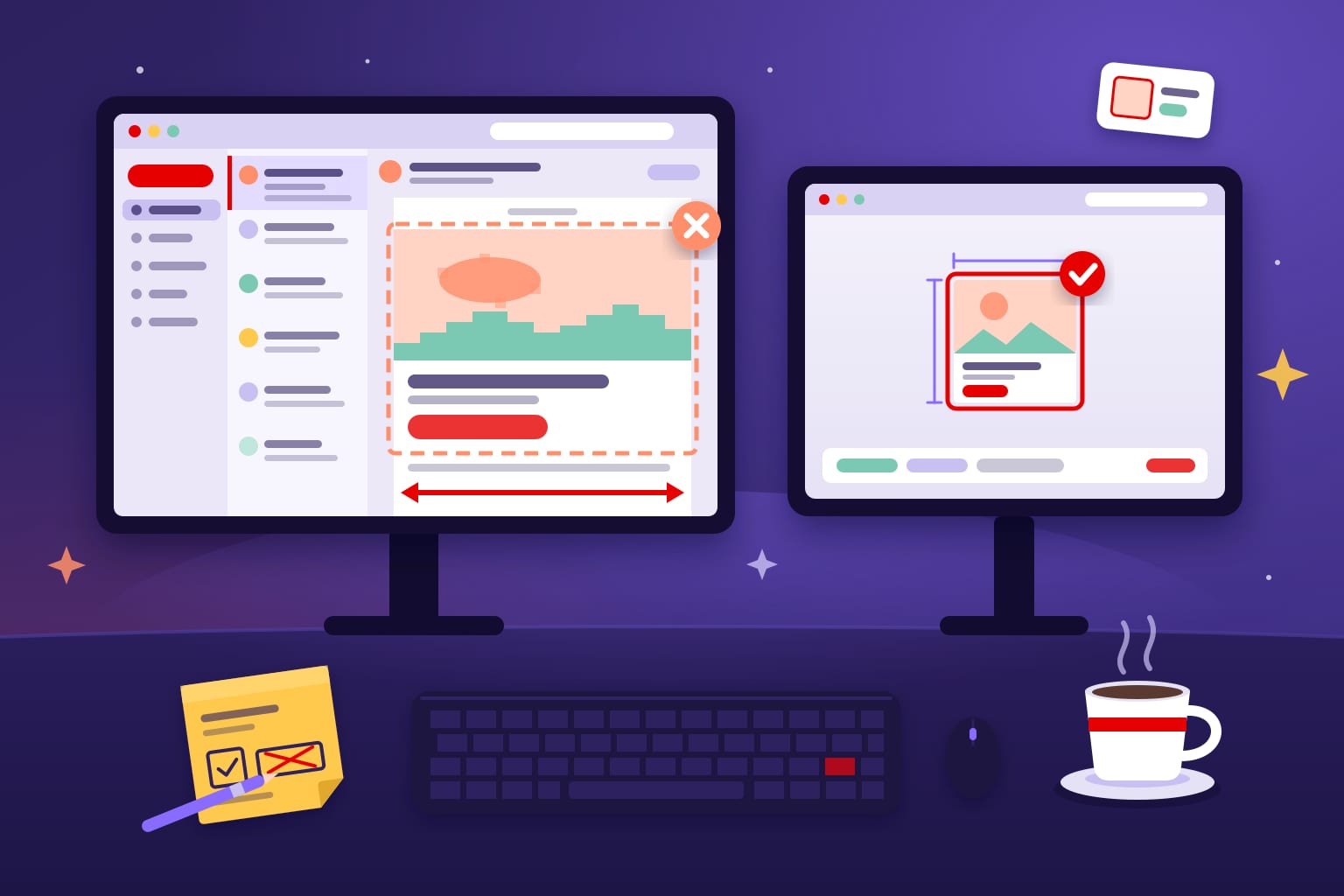
To avoid that, LiveIntent doesn’t serve 300×250 creatives in Outlook on PC at all. Outlook on mobile isn’t affected.
A 300×250-only campaign can miss Outlook on PC. If a direct-sold campaign has only a 300×250, LiveIntent serves another advertiser’s size in that slot or collapses it to an invisible pixel. LiveIntent recommends trafficking 300×250, 970×250 and 970×550 together.
File weight and format: JPG, PNG or GIF
Email doesn’t run JavaScript, so an HTML5 banner won’t play in an inbox. LiveIntent says it plainly at the top of its spec. Every email banner is a flat image file.
- JPG for photography and gradients. It’s also the only format some publishers take.
- PNG for flat colour, logos and sharp text.
- GIF for animation. LiveIntent allows up to 4 MB, 5 frames per second and 3 loops. Animation must stop by 30 seconds, and the first frame must show the complete ad.
LiveIntent’s static limit is 250 KB. Your own header images have no universal cap, but 250 KB is a sensible ceiling to borrow, even at 2x. It also requires a border of at least 1 pixel, in a different colour, on any ad with a white or gray background. Without it, the ad blends into the email.
Dark mode can change how a light banner or a transparent logo looks. Our guide to dark mode in email covers how to plan for it.
How to build one banner set that fits every email slot
Most campaigns need a header for the brand’s own list and ads for publisher newsletters. Here is the order we follow so nothing gets rebuilt at the last minute:
- Collect the destination specs first. List every newsletter and network, with its sizes, formats and weight limits.
- Design the master sizes. A 600-wide header, a 300×250 and a 970×250 cover most slots. Add 970×550 and the square and portrait sizes if LiveIntent is on the plan.
- Size the text for the smallest view. Check the header at 320 pixels and the billboard at 600.
- Export at 2x where the slot allows it, then check the weight against each limit.
- Pick one format per concept. All JPG or all GIF, with a JPG version ready for JPG-only publishers.
- Add the border to any white or gray creative.
If the campaign already exists as HTML5 display banners, you don’t need to redesign it. Our free tool turns an HTML5 banner ZIP into JPG and GIF files at each size. Our HTML5 banner converter guide explains the outputs, and how to convert HTML5 to GIF covers keeping quality. For full multi-size campaigns across web and email, you can also hand the work to an HTML5 banner production studio.
Email banner checklist before you send
- Header designed at 600 pixels wide and exported at 1200, with
width="600"in the code. - Offer and first line of copy inside the top 300 pixels.
- Fine print and button text readable at 320 pixels wide.
- Ad sizes match each network’s list exactly, with no retina file uploaded where the exact size is required.
- A second ad size alongside every 300×250, so Outlook on PC still gets an ad.
- Static files under 250 KB, and GIFs under 4 MB, for LiveIntent.
- GIF first frame shows the full ad, with logo, offer and call to action.
- A 1px border on white or gray backgrounds.
- A JPG version ready for JPG-only publishers.
For the standard web sizes these ads borrow from, see our IAB standard banner sizes guide.
Frequently asked questions
What size should an email header image be?
600 pixels wide on screen, saved at 1200 pixels wide for sharp displays. There is no fixed height. Keep the key message within the top 300 pixels.
What is the best email banner size for mobile?
Use the same 600-pixel banner and let the template scale it. Many templates show it at 320 pixels wide, so design the text to stay readable at about half size.
Can I use a 728×90 banner in an email?
LiveIntent lists 728×90 as an optional size. In your own email it’s wider than a 600-pixel column, so it will shrink. A 600-wide banner usually works better.
Why is my 300×250 email ad not showing in Outlook?
Outlook on PC stretches a 300×250 to the template width, so LiveIntent doesn’t serve that size there. Add a 970×250 or 970×550 to the campaign.
Can I put my HTML5 banner in an email?
No. Email doesn’t run JavaScript. Convert the banner to a JPG, PNG or GIF at each size you need.
Sources
- LiveIntent (Zeta Global): Ad specs and creative requirements
- LiveIntent: Limitations serving 300×250 in Outlook PC
- Campaign Monitor: Size specifications for email campaigns
- Email on Acid: Retina images in email
- The Seattle Times: Creative guidelines (PDF)
- Advance Ohio: 2025 digital ad specs (PDF)
Looking for a banner production company?
Digitaland has produced HTML5 banners for agencies and brands since 2011. See how we work, or send us the brief and we take it from there.